experiment CreateGovern
Grammarly review: your everywhere comms AI subeditor
We tested Grammarly for 18 months across real client work: emails, proposals, newsletters. Is it the AI safety net every comms pro needs?


- Model
- Grammarly
- Surface
- Premium plan; the Mac desktop extension, then the Grammarly app
- Runs
- 18 months of daily use; one worked example, this review
- What went in
- The first draft of this review, written in Notion
Should You Care?
- Rating: 4/5 stars
- Best for: Comms professionals – and pretty much any digitally communicative worker – writing across multiple platforms daily
- Monthly cost: Free tier available; Pro plans from £10/month, billed annually (info here)
- Time to value: Minutes (install its extensions for the software/apps you use, and it immediately starts working as you type)
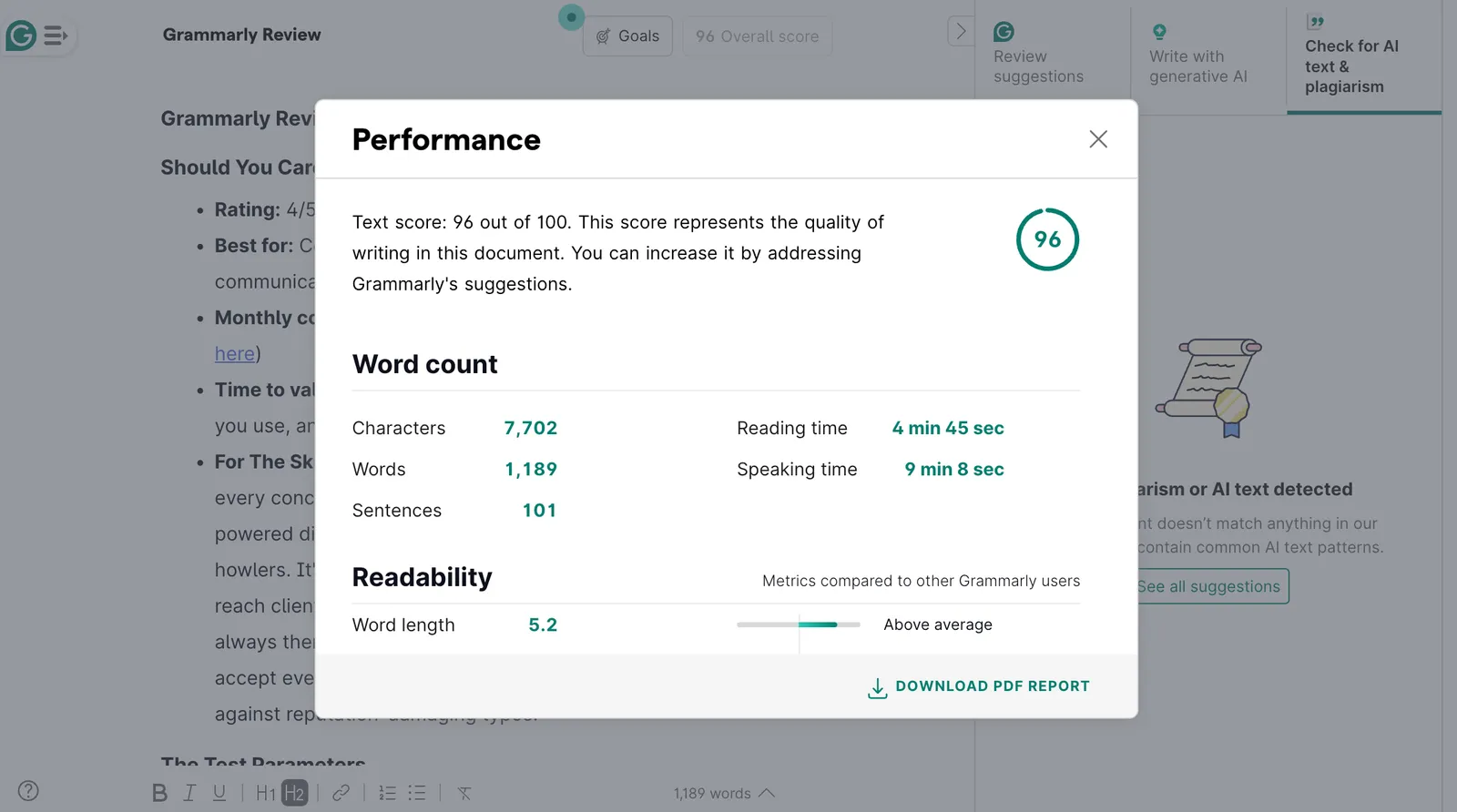
- For The Skimmers: After 18 months of daily use across almost every conceivable platform, Grammarly has become my digital safety net for spelling mistakes and grammatical howlers. It’s brilliant for catching embarrassing errors before they reach clients, and the Chrome/Safari/Desktop extensions mean it’s always there. Though beware: it can flatten your writing style if you accept every suggestion. For busy comms teams, it’s insurance against reputation-damaging typos.
The Test Parameters
What we tested:
- Plan: Having used the Free plan for most of this year, I went back on the Premium plan in the past month (I missed its sentence-rewriting capabilities to help when I have to fire something in a mad dash)
- Use cases examined: Client emails, newsletter writing, social media posts, formal proposals, website copy (you name it, really)
- Comparison baseline: Raw writing speed and error rates without assistance (I’m a touch typist of the most haphazard order)
What we didn’t test:
- Business/Enterprise team features (solo user experience only)
- Mobile app functionality (desktop-focused testing; I have used the iPad app a bit, but not enough to be able to critique)
- Catching accidental plagiarism (since using it for my own writing)
- Generating text with AI prompts (I go elsewhere for drafting and content creation)
First Impressions
Setup Experience
- Time from signup to first output: Under five minutes
- Onboarding process: Install the extension(s), log in, done
- Initial confusion points: None, refreshingly
- “Aha” moment: Likely the first time it caught a misused word (probably something along the lines of “manger” instead of “manager” in a client email) or improved sentence construction, and I realised it was far more helpful than the typical Word document spell/grammar checker
The Interface
- First reaction: “Oh, it’s just… there. Everywhere.”
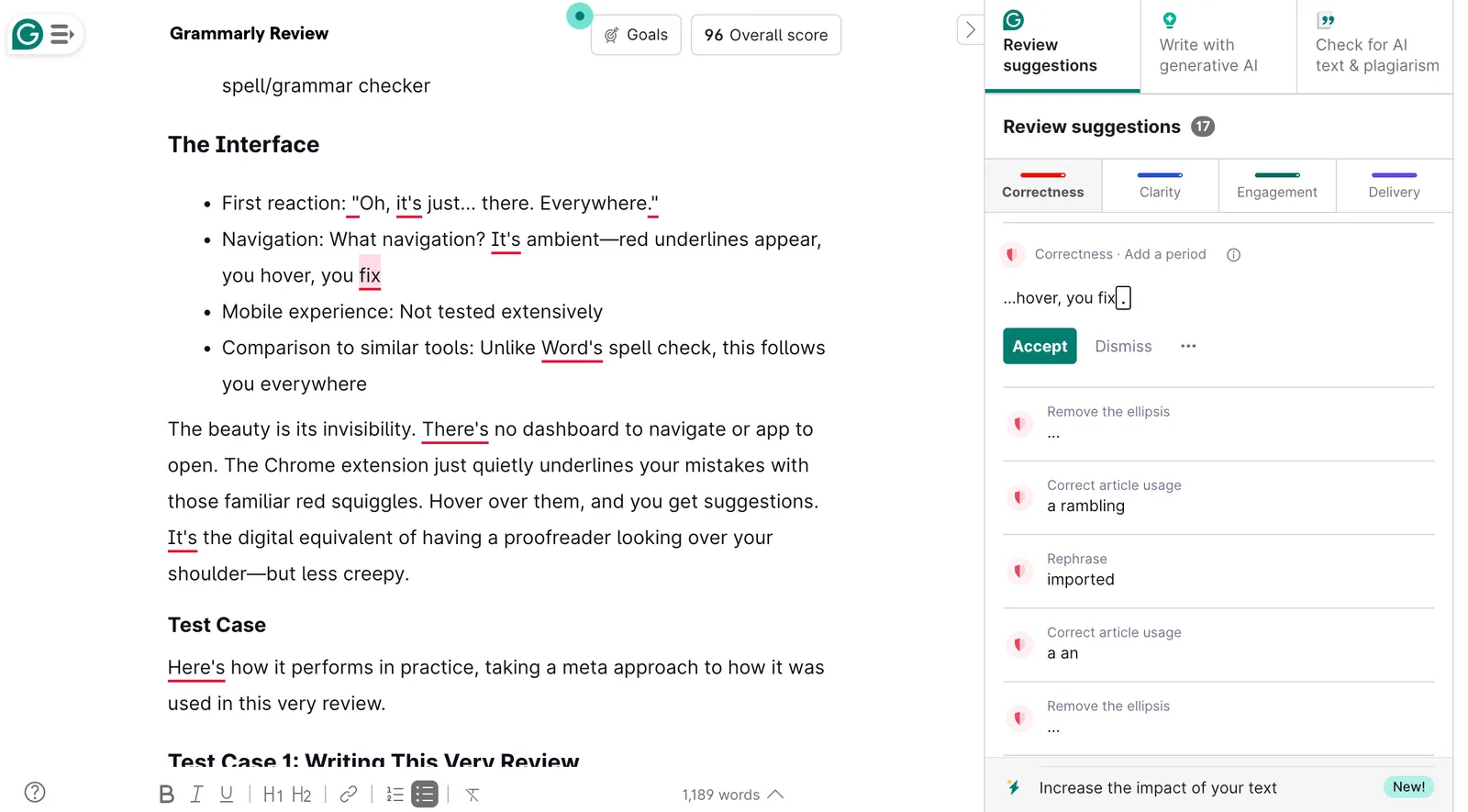
- Navigation: What navigation? It’s ambient – red underlines appear, you hover, you fix
- Mobile experience: Not tested extensively
- Comparison to similar tools: Unlike Word’s spell check, this follows you everywhere
The beauty is its invisibility. There’s no dashboard to navigate or app to open. The Chrome extension just quietly underlines your mistakes with those familiar red squiggles. Hover over them, and you get suggestions. It’s the digital equivalent of having a proofreader looking over your shoulder – but less creepy.
Test Case
Here’s how it performs in practice, taking a meta approach to how it was used in this very review.
Test Case 1: Writing This Very Review (2 to 4 July 2025)
The brief: Create a 1,000+ word tool review that’s informative but doesn’t bore its readers to tears. (Hey, you’ve already made it most of the way through…)
The process:
- Started drafting in Notion (Grammarly following along via the Mac desktop extension)
- Caught “took” when I meant “tool” – oh, will I ever learn?
- Other corrections suggested throughout, such as flagging a rambling sentence that even I couldn’t follow
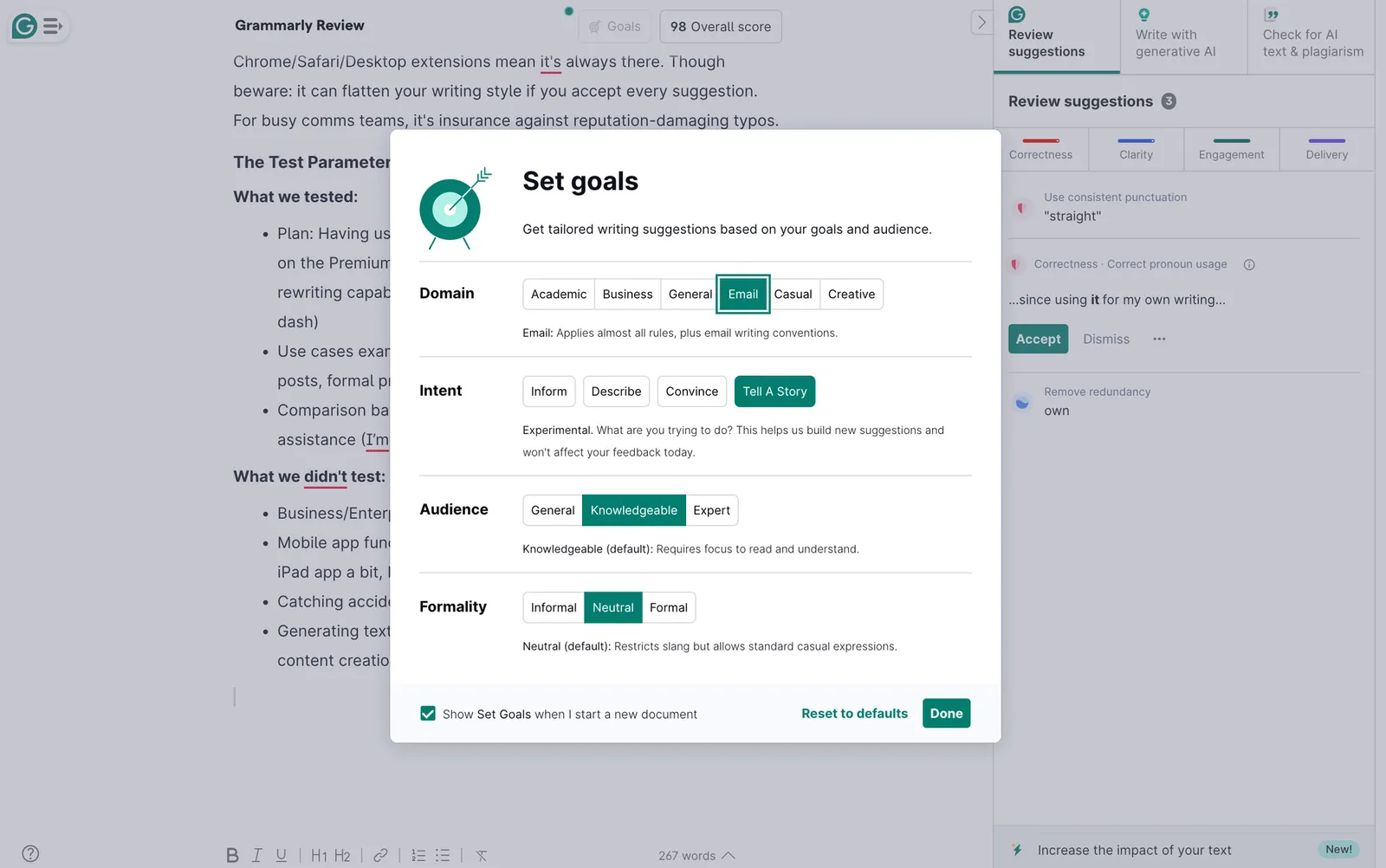
- Then imported the first draft into the Grammarly app, where it immediately prompted me to set goals (see screenshot above)
- After indicating my goals, it provided review suggestions in a right-hand window.
The output: This review: far cleaner than it would have been otherwise, but still recognisably mine (as mentioned, I did reject some suggestions for this reason)
The verdict: As a former newspaper subeditor myself, it’s the closest I have had – and will ever get – to having a personal subeditor, providing a hugely helpful safety net for solo working and sending important emails/documents to clients.
Time saved/lost: In this case, probably at least 10-15 minutes saved on an extra draft revision or two, plus the smug meta satisfaction of testing a tool while writing about testing it
The Good, The Bad, The Ugly
What It Nails
- Ubiquitous presence: Works in Gmail, LinkedIn, Notion, Ghost… pretty much everywhere I write. It really does feel like an ever-present assistant.
- Speed: Instant feedback means fixing errors in real-time, not in retrospect
- Context awareness: Now detects more complex errors, including mistakes in advanced sentence structures
- Tone detection: This can be helpful when switching between formal proposals and casual team chats, although the results can feel a bit broad – even when this is the case, it can still be helpful to consider and personally revise
Where It Falls Short
- Style homogenisation: Much like any generative AI tool, accept too many suggestions and your writing will become vanilla. Much like ChatGPT or Claude, there are certain words and phrases that it appears moderately obsessed by…
- Overcorrection: …And on that note, the more personality you insert, the more it can flag intentional stylistic choices as errors
- Extension quirks: Sometimes obscures buttons or form fields on websites, which can provoke mini outbursts of frustration. However, never enough to have removed said extensions!
- Limited customisation: The extension lacks the tone controls available in the web version
Deal Breakers (If Any)
- There are other highly rated Grammarly alternatives out there (see this article for some of the contenders), so worth doing your research
- Perhaps most notably, Apple seemed to launch a ‘Grammarly killer’ last year through its own AI writing tool. However, despite the hype, so far this is more limited in scope and fairly buried. Of course, it’s likely to improve and become more accessible over time, but I wouldn’t choose it over Grammarly at the moment.
- The premium price might sting for solo freelancers (though the free tier is generous)
- If you’re precious about your unique writing voice, the constant suggestions might grate
Who Should Use This
Perfect For:
- In-house comms teams writing across multiple platforms daily
- Agency professionals crafting client communications at speed
- Anyone whose reputation depends on error-free writing
Skip If:
- You don’t need to worry too much in your daily role about mistakes which won’t be caught by the standard spell-checker
- Your team has dedicated proofreaders for everything
- Budget is tight, and the free tier’s more limited features aren’t enough
Sweet Spot Scenario
If you’re a communications professional writing 20+ pieces weekly across email, social, web, and documents, and you’ve ever sent an important message with a mortifying typo, this is your insurance policy. At Faur, where I’ve been juggling multiple client communications daily while building a new business, it’s been indispensable.
Quick Tips
- Disable on specific sites: Turn it off on your CMS if it interferes with editing
- Personal dictionary: Add client names and industry jargon to avoid false flags
- Selective acceptance: Read suggestions critically – don’t auto-accept everything
The Bottom Line
In a single sentence: Grammarly is reliably there when you need it: the conscientious subeditor you never knew you needed.
Tool Information Box
- Tool: Grammarly
- Website: grammarly.com
- Pricing: Free tier; Premium currently £10/month (billed annually)
- Free trial: Yes (through the free tier, no time limit)
- Category: Writing Enhancement/Proofreading
- Review last updated: 7 July 2025
Using Grammarly already? What’s been your experience – salvation or style-killer? Get in touch and tell me.
More like this
noteCreate
A week with Gemini: worth switching on in Gmail, if you check its sourcesGemini earned a daily place in my inbox after a week as my main assistant. Its email summaries need checking against the sources it links, and in the app itself it trailed Claude and ChatGPT.
experimentGovern
No, Claude Fable 5.2 isn't AGI: five things it built for comms work, and the 15 errors it found in oursThe morning after Anthropic released Claude Fable 5.2, Michael asked it for its five most impressive pieces of comms work. It built a crisis simulation you can play and a 3D film made in Blender from code alone, then flagged 15 errors in our own archive.
articleTransform
Leaving Substack or Ghost without losing a reader: an AI-assisted migration checklistMoving a website off a platform like Substack or Ghost used to be real digital comms gruntwork. In our case, moving a publication with dozens of pages onto a new site took a few days rather than weeks – with Claude doing most of the building and me being the decision-maker for every switch. Here's what worked, what went wrong, and what you can put into practice today.