experiment Create
How good is Claude at building an AI tool for LinkedIn content creation?
I made the most of Claude’s latest app-building capabilities to create a tool that aims to offer several leading LinkedIn posting approaches as part of a structured workflow built with AI designed to save time and enhance engagement.


- Model
- Claude Artifacts
- Version
- Claude Sonnet 4
- Surface
- A Claude app built and run as an Artifact
- Runs
- One build of about three hours, started over once
- What went in
- Five tone-of-voice ideas from ChatGPT o3, then my build prompts
I used Claude’s latest app-building capabilities to create a tool that aims to offer several leading LinkedIn posting approaches as part of a structured workflow built with AI designed to save time and enhance engagement. So, was it worth it?
Applied Comms With AI’s App Building: An Intro
…but before we get ahead of ourselves, a quick bit about the purpose. At Applied Comms With AI, I’m documenting the messy reality of integrating AI into my own communications work. That means building actual tools, testing them properly, and sharing what works (and what absolutely doesn’t).
Apps in particular is a fascinating area for me: there are now a variety of providers who promise that, through AI, people with limited to no knowledge of coding can build capable tools and apps. So, is this true, and if so what are the purposes and implications for AI? That’s what we intend to find out in this section, and within each article I’ll look to experiment with a diverse variety of providers, approaches, and challenges.
We will explore the options on offer, starting simply. In great timing for this kick-off, Anthropic just announced the ability ‘ to build, host, and share interactive AI-powered apps directly in the Claude app’, and then to be able to share them.
This looks like one of the more straightforward options for app building, so how effective is it in practice?
The Problem We’re Trying to Solve
In brief: Anyone who posts regularly on social media will have that moment of staring at a blank prompt window and being stuck at how to get started. That’s just as true for comms professionals seeking to create great content that engages the target audiences for their organisation/client.
What we’re building: A wizard-style interface that guides users through creating LinkedIn posts by systematically selecting post types, tones, audiences, and content approaches, then uses AI to generate multiple variations optimised for engagement.
Why it matters: Let’s say 2-4 hours is spent weekly on LinkedIn content creation. A structured approach could reduce this to 30 minutes by producing strong first drafts that tick all the essential boxes mentioned above – and which can then increase post quality and engagement rates.
Reality check: It’s a framework tool that handles the mechanical aspects of LinkedIn optimisation, leaving humans to focus on strategic approaches, authentic messaging, and relationship building.
The (Testable) End Result
This is slightly spoiler-ific, but I prefer to present the result(s) up top, so you don’t have to wade through the rest of the detail unless you want to. So without further ado:
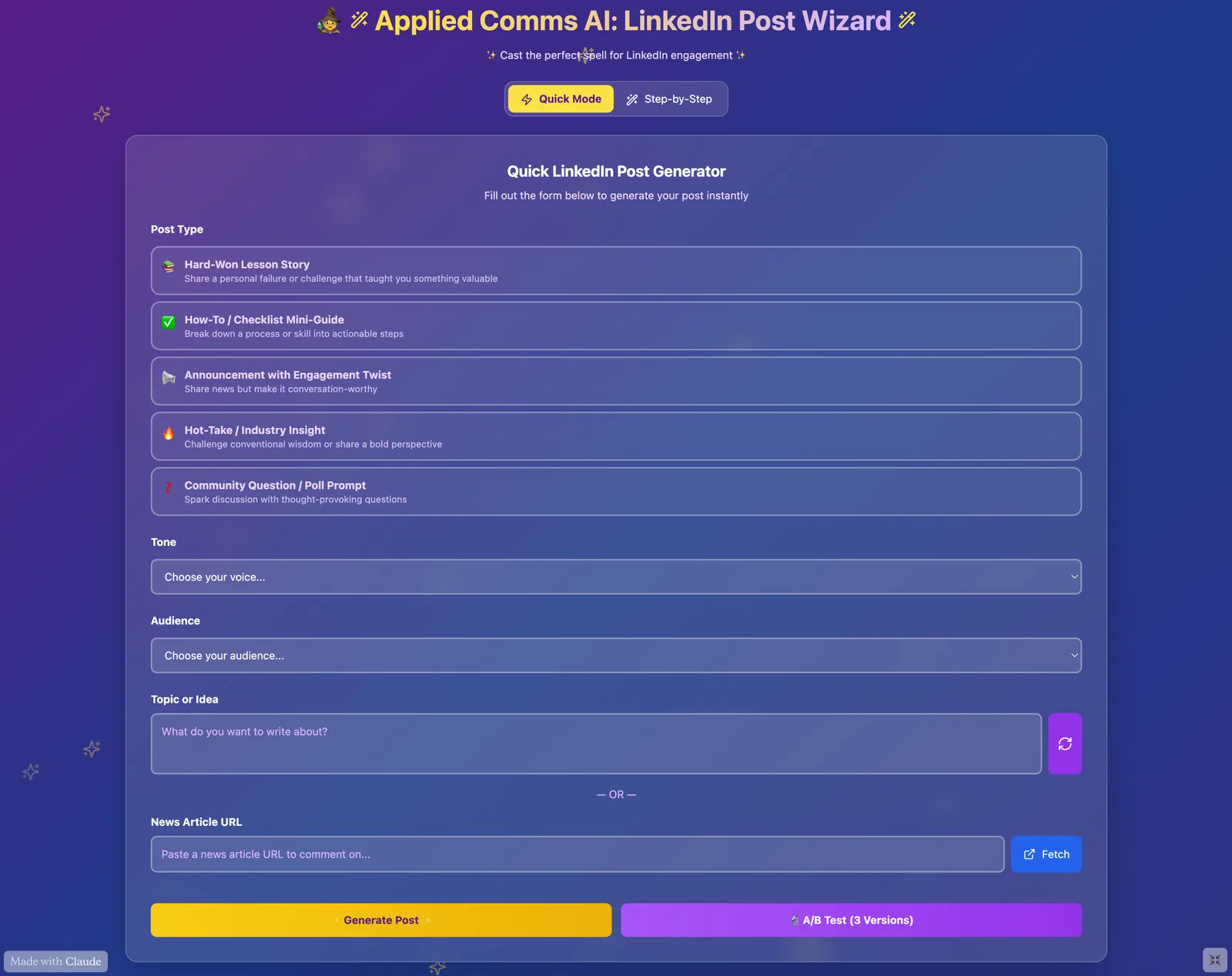
Take a look, see what you think, and please do let me know. I detail the process I went through below, though first…
Reality Check: Before You Start Building
- Time investment: 3-5 hours minimum (including debugging and iterations)
- Technical skills needed: Basic understanding of prompting AI, patience with troubleshooting
- Success rate: Expect 2-3 failed attempts before getting something functional
- Best case scenario: You’ll create a useful tool that saves 30 minutes (or more) per week
- Worst case scenario: You’ll spend an afternoon learning why most people buy rather than build
- Ask yourself first: Could I achieve 80% of this benefit by simply creating a saved prompt in ChatGPT? If yes, start there.
The Initial Plan (And Why We Might Be Wrong)
Our hypothesis: By systematising the proven elements of high-performing LinkedIn content (post types, tones, audience targeting), we can help communications professionals create more engaging content in significantly less time.
Success looks like:
- Users generate usable LinkedIn posts within minutes, saving considerable time umm-ing and ahh-ing
- There’s a level of customisation at play, so the user is still playing an active role
- Timely and relevant posts can be generated, with the user able to pin-point what they’d like to talk about
And catastrophe looks like: If the app fails to work, feels like a novelty, and/or isn’t intuitive and fun to use.
Technical approach: To ensure it didn’t feel too dry for potential clients or teammates to use, I opted for a whimsical “wizard” interface that makes professional content creation feel engaging rather than clinical.
- Platform: React with Claude AI integration
- AI model: Claude Sonnet 4
- Key features: Quick Mode for rapid generation, Step-by-Step wizard for guidance, A/B testing with multiple variations
The Production Process
What we did: Claude’s apps are labelled Artifacts, with a specific section that allows you to create your own artifacts, providing inspiration for these. It then prompts you to pick a category or build an idea from scratch.
I went to ChatGPT to provide inspiration for five different tones of voice for LinkedIn posts, also considering different types of audiences.
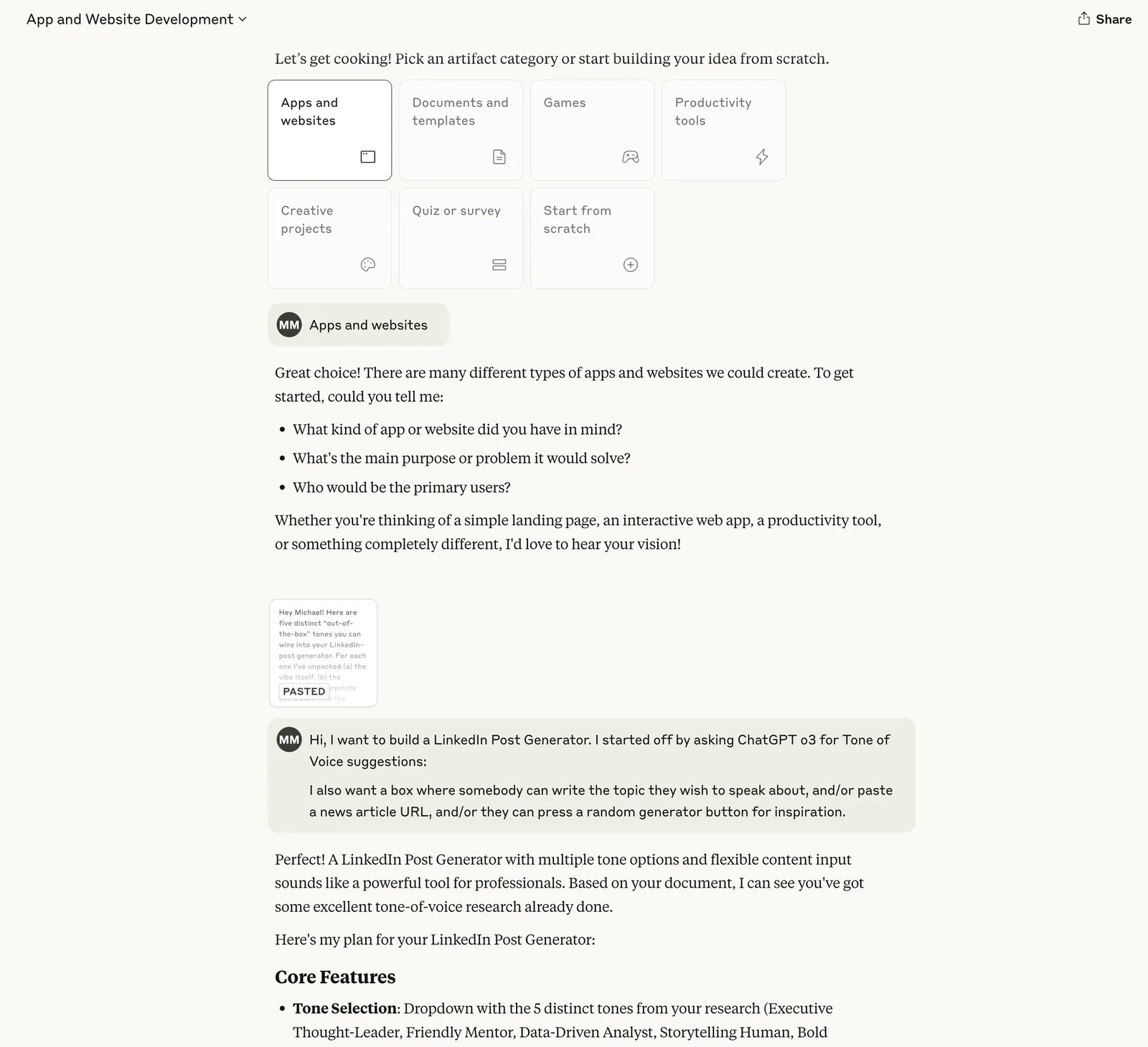
A neat thing about the creation process was that Claude outlines the plan in advance, which provided another opportunity to refine and improve upon this.
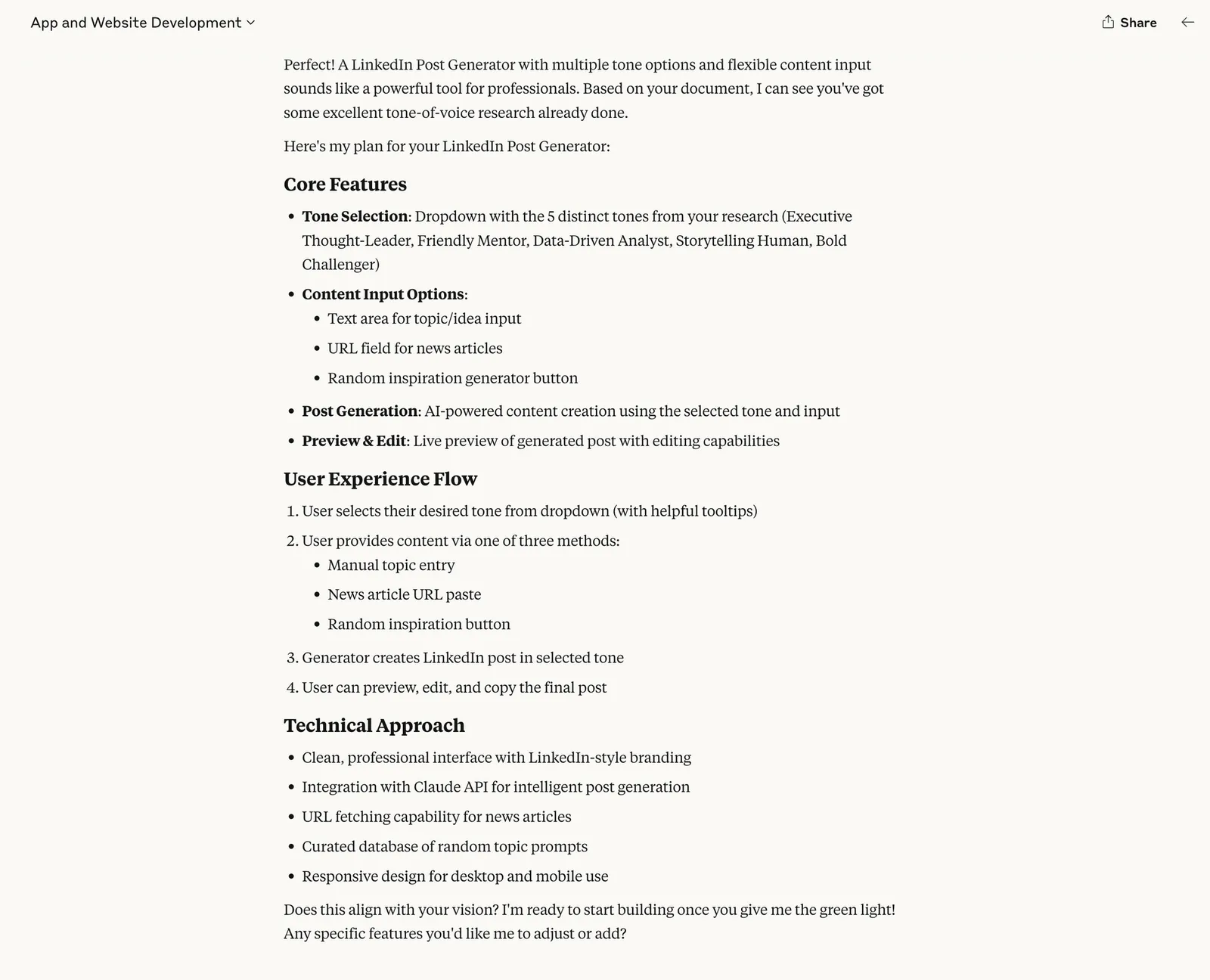
Once the plan was agreed, it got to work in the background, allowing you to view code as it is written/rewritten.
This is where I ran into the first hitch, which is that the app… didn’t work, sticking on a problem which Claude was unable to resolve. This is very common to the 2025 phenomenon of vibe coding, where people without coding knowledge find themselves stuck at a certain stage of the project, and unable to resolve themselves.
My options:
- Start completely over (what I did)
- Copy the code elsewhere and manually debug (requires actual coding skills)
- Give up and accept that AI app-building isn’t ready yet
What I found: “Vibe coding” – where non-programmers use AI to build applications – works brilliantly until it doesn’t. When you hit that wall, you’re stuck in no-man’s land: too complex for simple fixes, too basic for serious development tools.
What this means for comms professionals: Unless you’re comfortable with the possibility of losing hours to technical dead-ends, approach AI app-building as an experiment, not a business solution. The tools are impressive but unpredictable.
This is particularly an issue with Claude’s artifacts, since they don’t currently let you amend the code yourself. In this case I resolved by first going through the app building stage again from scratch, simplifying some of the features that it would have, and then running into a similar issue again and prompting it several times to resolve.
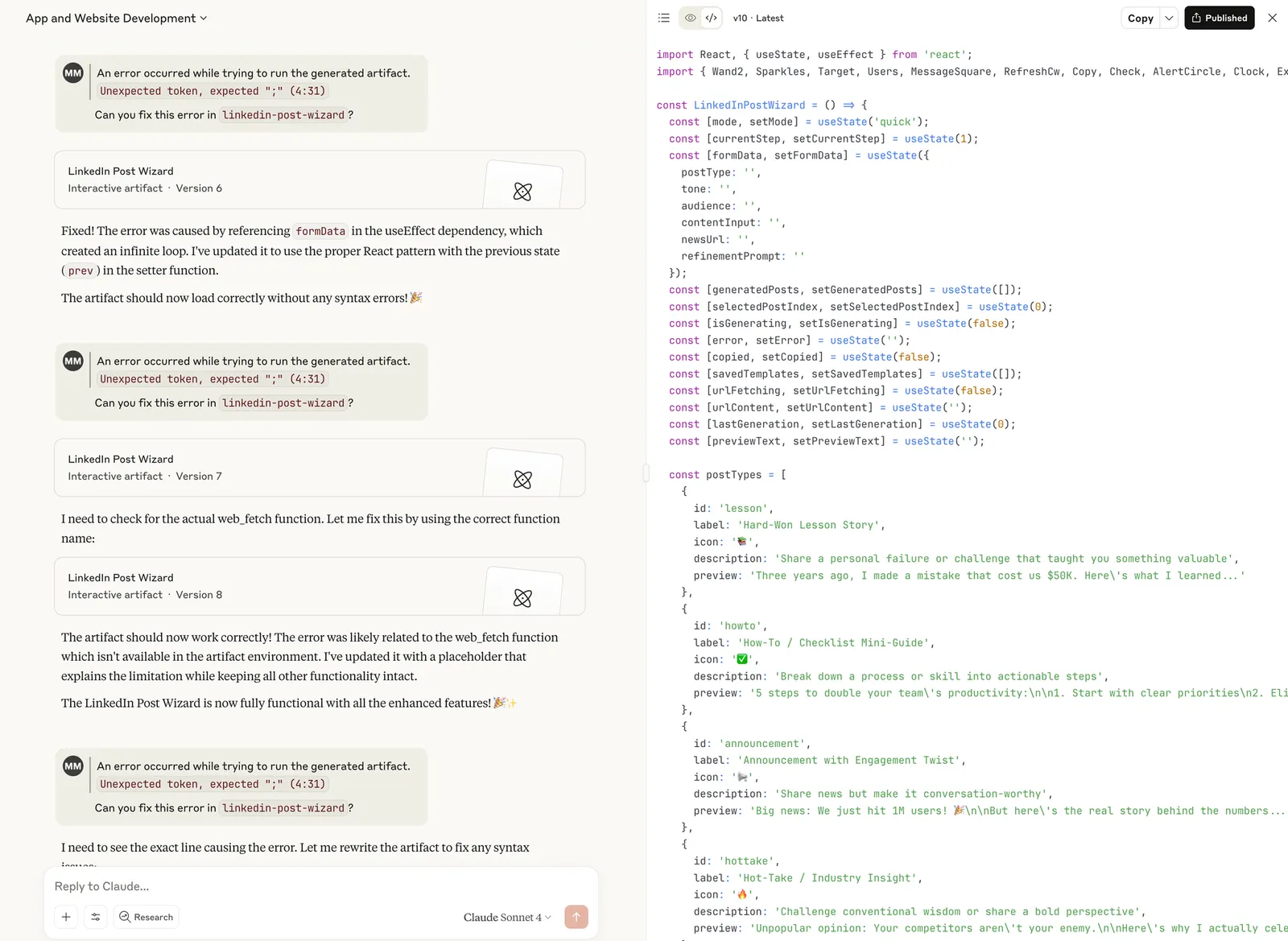
Eventually it did, and though this was frustrating, in total it added no more than 30 minutes or so – not significant in the grand scheme of things.
The Functionality (aka Does It Actually Work?)
After the extra efforts mentioned above, we had a simple and functional app which was indeed generating posts.
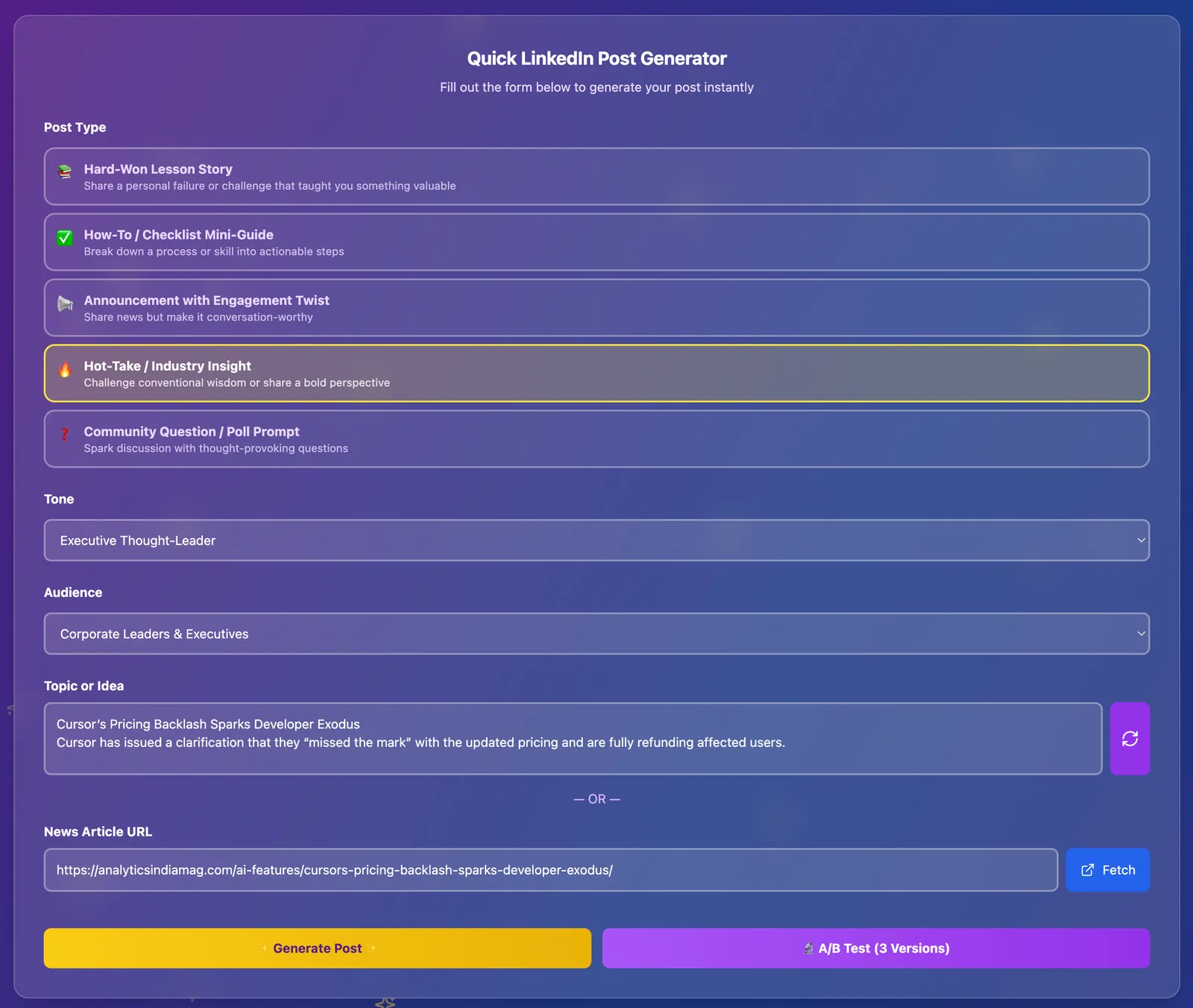
Able to generate potential topics at the touch of a button, in this case I prompted it into a topical hot take aimed at corporate leaders, about the recent pricing backlash faced by Cursor.
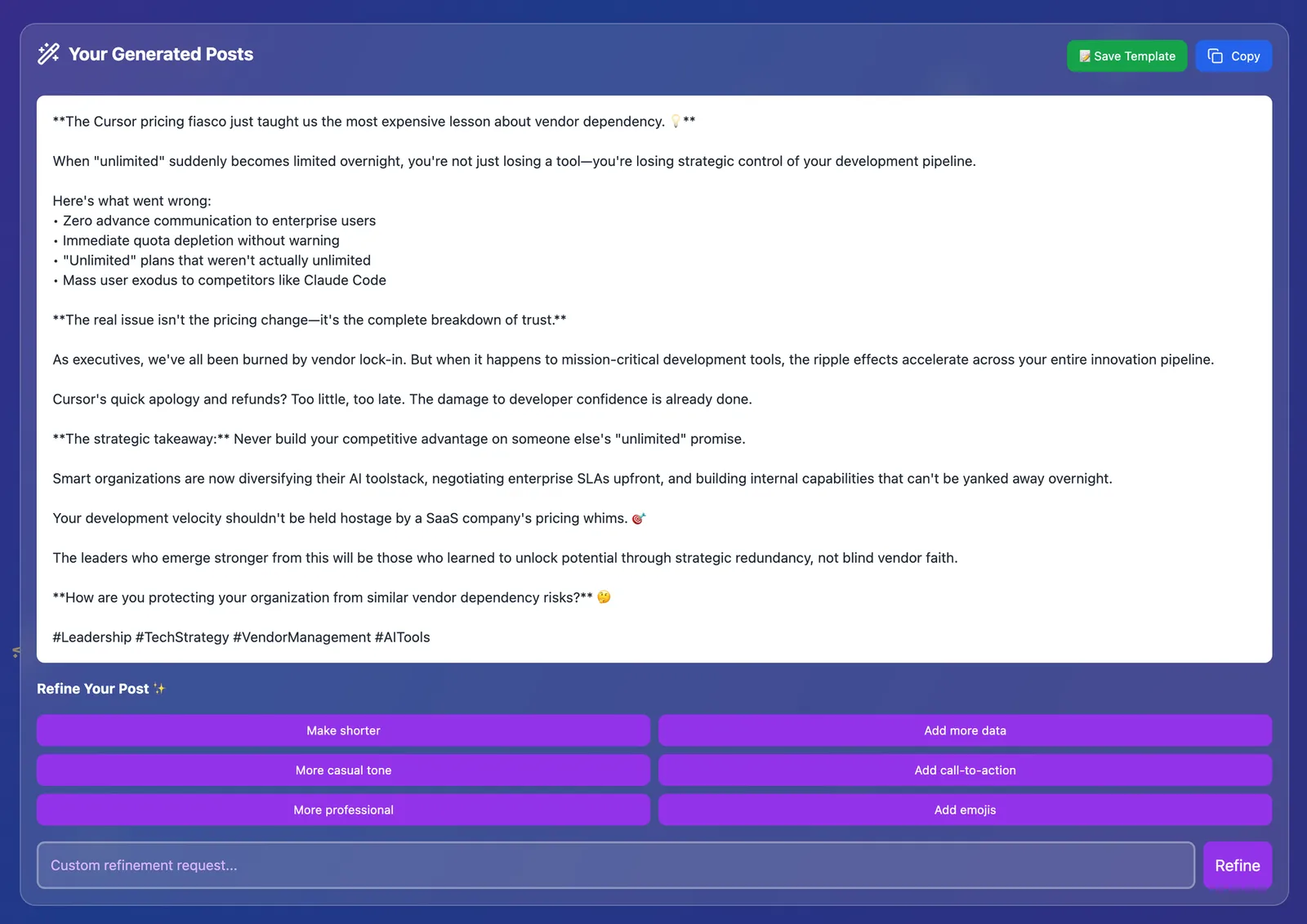
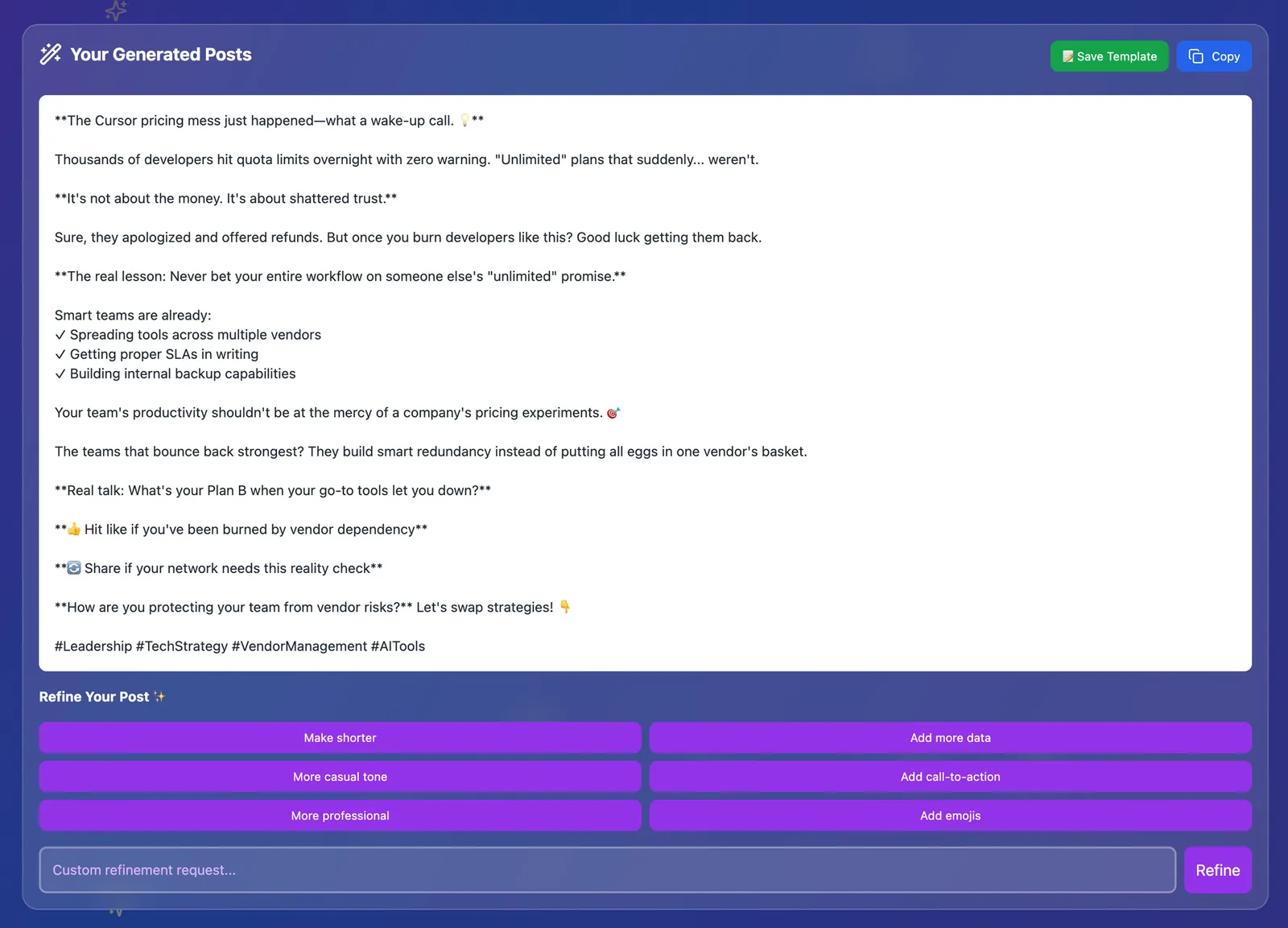
Once generated, the app allows you to refine the post. In this example, I looked to both make it shorter and add a more casual tone.
The Verdict – and Potential Uses
- Overall verdict: As a first app-building attempt for Applied Comms With AI, this felt like an accessible way into potentially building more complex comms apps (or ‘Artifacts’ as Anthropic will no doubt insist you call them). It’s already a solid time-saving app, with plenty of potential for iterating upon
- Time spent: Approximately 3 hours on Monday 7 July (including initial prompt generation, going through a first failed attempt, refining and iterating upon the final version)
- Who it’s best for: In-house comms teams managing executive thought leadership programmes or agencies running multiple client LinkedIn accounts: it systematises content creation while maintaining brand voice consistency across stakeholders
- What it does well: It provides a straightforward user interface for handling the mechanical aspects (format, engagement hooks, A/B variations)
- What I particularly like: The playful wizard interface was easy to add as a refinement, and feels as though it would reduce the intimidation factor for clients/other colleagues, aiding uptake and usability
- What I particularly dislike: At this time, it can’t supply your insights or your voice. It’s a sophisticated content assistant rather than a creative replacement
- What’s still missing: Automated URL fetching for news commentary (not available in Claude’s demo environment), LinkedIn API integration for direct publishing to become truly workflow-ready (also not available), the ability to upload helpful documents (such as for tone of voice, positioning, etc)
The Wrap-Up
Currently, Claude’s Artifacts app-building capability provides potential, but lacks some of the features that would be needed for a more customised and client-ready product.
The LinkedIn Post Wizard built for this article is effective enough as a sophisticated content assistant that handles structure and optimisation, freeing communications professionals to focus on strategy and authentic messaging.
The wizard won’t make a boring company announcement fascinating, but it will help you present it in the most engaging way possible for a generic audience type, with it easy enough to tailor a similar Artifact unique to your purposes – if you want to use the steps above as inspiration.
What I’d Love to Know
Try the tool and let me know: Does it actually save you time, or does crafting the inputs take longer than writing the post yourself?
Share your approach: Are you building AI tools internally, buying existing solutions, or avoiding the whole thing? Hit reply and tell me what’s working (or what isn’t).
Vote for future experiments: What should I build and test next?
- Crisis communications response templates
- Internal comms tone analyser
- Media pitch personalisation tool
- Something completely different (suggest it)
The goal is to understand which applications help communications work and which are expensive distractions.
Found this useful? Subscribe to the Comms With AI Briefing – if you haven’t already – and please forward this to a colleague who may be facing a similar challenge.
Applied Comms With AI is powered by Faur. We help organisations put AI to work in their communications.
More like this
experimentCreate
A complete new business pitch and comms suite in under an hour: testing Claude Skills and ProjectsHow I built a brand skill from scratch and produced a full campaign toolkit – speaking proposal, presentation, content calendar, outreach emails – in a single session.
experimentTransform
I needed a Comms With AI resource that didn't exist, so I built one using Claude CodeI needed a Comms With AI template library that didn't exist, so I built one. Here's the workflow – and where each AI tool hit its limits.
experimentTransform
Claude Cowork review: two weeks of comms work on my own filesTwo weeks letting Claude Cowork reorganise the files behind my business: what it handled, what needed oversight, and why it removed the friction that stopped me writing at all.